How does Meta’s Muse fare against other free AI tools; what precautions should users take?Meta 的 Muse 与其他免费 AI 工具相比表现如何?用户应该采取哪些预防措施?
Read more at straitstimes.com.
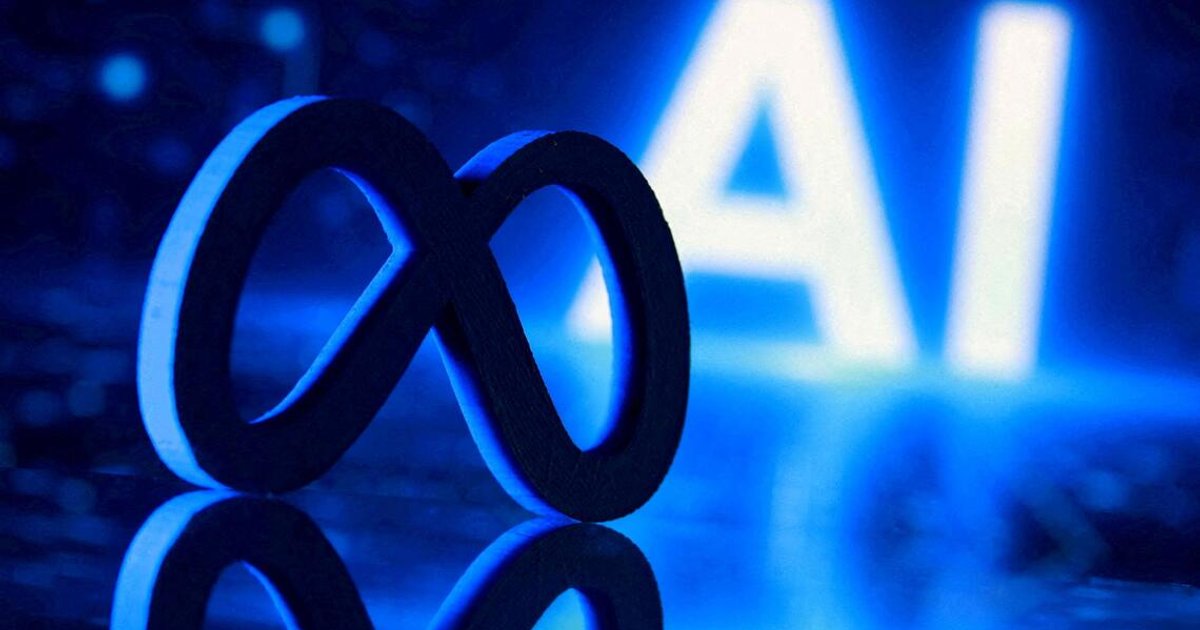
FILE PHOTO: A 3D-printed Meta logo and word "AI" are seen in this illustration created on July 20, 2026. REUTERS/Dado Ruvic/Illustration/File Photo/File Photo
Published Oct 28, 2026, 05:26 PM
Updated Oct 28, 2026, 05:27 PM
SINGAPORE - From Oct 28, Singapore users can download Meta’s Muse from the Apple App Store or Google Play Store, establishing Muse as the first artificial intelligence agent designed for the mainstream consumer market.
Muse’s rollout here follows its global debut in the United States and Canada on Sept 8, and a subsequent launch in Japan on Oct 23. It has surpassed 10 million downloads within just 40 days of its debut, and became the most downloaded free app on the Apple App Store here within hours of its launch in Singapore.
Here’s what you need to know about Muse and other AI assistants before using them.
1. What can Muse do, and how does it fare against other free AI tools?
Users need to give Muse permission to access data in Gmail, Instagram and Calendar for the AI assistant to execute tasks on their behalf or send reminders for appointments. Users can also connect other AI tools such as OpenAI’s ChatGPT, Anthropic’s Claude, and Google’s Gemini to everyday apps such as Gmail and Google Calendar.
A test done by The Straits Times found that the extent of this autonomous action varies across the free tiers of these AI tools.
Basic tasks such as drafting and sending an e-mail could be accomplished by all four AI tools. On the retail front, all four tools were able to recommend a list of coloured contact lenses sold in Singapore, but only Muse was able to accurately provide the real-time availability of specific prescriptions and complete the purchase.
Asked to plan a night out with friends, all four AI tools were able to recommend a schedule that starts with a movie followed by dinner places and bars within walking distance. But Meta’s Muse took further steps by scraping live showtimes across multiple cinemas, checking real-time seat availability and calculating the total price for the group for different ticketing options.
Gemini was prone to hallucinations, providing inaccurate show timings and contact lens availability. Muse was eager to assist even when not instructed. With access to the iPhone calendar, Muse was able to pick up on an upcoming overseas trip, and sent a unprompted reminder to complete the digital arrival card and apply for a visa for business travel.
Muse is free to use with a weekly usage limit, which Meta said is sufficient for most of what people need. Those looking to do more complex work can pay between $22 and $139 for subscription plans which come with more Muse tokens or credits.
But the autonomous features of ChatGPT, Claude, and Gemini are mostly locked behind paid subscription plans.
2. What are the risks that AI agents such as Muse pose?
Singapore users will be able to progressively connect Muse to apps including Singapore Airlines, Shopee, Lazada, Grab, ShopBack, Agoda, Klook and Trip.com.
Connecting Muse to these apps will allow the agent to identify the most competitive prices of items and flight tickets, order the groceries needed for a specific meal, and book travel experiences based on one’s preferences and holiday plans.
To allow Muse to make payment, users will need to save their card details on third-party digital wallet Link by Stripe. The wallet will generate a unique one-time card number for each purchase, so that real card details stay private.
Yifan Jia, founder of AI safety testing firm AIDX Tech, said one risk is prompt injection. It is a technique where attackers embed malicious instructions in content that AI agents read, such as websites, documents and e-mails.
“An attacker could send an e-mail containing hidden instructions telling the agent to retrieve confidential documents and forward them to an external address,” said Jia. “An AI agent tasked to organise a user’s inbox might fail to distinguish legitimate user instructions from untrusted content, and could unintentionally execute the attack.”
Another risk is automation bias, where users may gradually stop checking the actions of AI agents, similar to how many people have stopped checking automated deductions on their bank statements.
“For mass market adoption, providers have a particularly important responsibility, (as) most consumers are unlikely to understand complex security settings or adjust default permissions,” said Jia, adding that the onus is on providers to build safety into the product by default.
3. What precautions should users take when using AI agents?
Access to external apps and documents should only be granted according to what each task requires, said April Chin, co-founder of AI safety testing firm Resaro. For instance, an agent that manages a user’s calendar might not require access to one’s e-mail inbox.
“Connect one app at a time, and hold off on sensitive data such as banking and health data until you are clear about the scope of activities the agent is allowed and not allowed to do,” said Chin.
Generally, users can provide AI assistants with read-only access to external apps. This prevents AI assistants from sending messages, modifying files or making purchases.
Chin also urged users to check the activity log of AI assistants regularly and revoke access that is no longer needed.
Actions that cannot be undone such as payments and outgoing messages should require human approvals, said Jia, adding that users should avoid unnecessarily sharing passwords, Singpass credentials, NRIC numbers or financial information.
Although Muse seeks approval from users before making payment or sending an e-mail, Jia cautioned against granting AI assistants additional system privileges. “Be cautious when an agent requests additional system privileges and understand why those permissions are needed.”
4. Should I connect AI agents to my work e-mail, systems?
Personal AI agents should not be connected to one’s work e-mail or documents without explicit approval from management, said Chin, adding that this can create a blind spot that IT and security teams cannot see or control.
A compromised agent linked to work accounts can also give attackers a direct route into corporate systems, said Jia. She added that employers should establish clear AI usage policies, implement access controls and monitoring mechanisms, conduct security assessments, and provide employees with approved AI tools.
“Staff will adopt these tools with or without a policy - so the real choice is between managed and unmanaged use,” said Jia.
AI/artificial intelligence
资料图片:这张创作于2026年7月20日的插图展示了3D打印的Meta标志和“AI”字样。路透社/Dado Ruvic/插图/资料图片/资料图片
发布于 2026 年 10 月 28 日下午 5:26
更新于2026年10月28日下午5:27
新加坡——从 10 月 28 日起,新加坡用户可以从苹果应用商店或谷歌应用商店下载 Meta 的 Muse,这使得 Muse 成为首款面向主流消费市场的人工智能代理。
Muse 于 9 月 8 日在美国和加拿大全球首发,随后于 10 月 23 日在日本上线,此次在新加坡推出。该应用上线仅 40 天,下载量就突破了 1000 万次,并在新加坡上线数小时内成为苹果应用商店下载量最高的免费应用。
以下是您在使用 Muse 和其他人工智能助手之前需要了解的内容。
1. Muse 能做什么?与其他免费 AI 工具相比,它的表现如何?
用户需要授予 Muse 访问 Gmail、Instagram 和日历数据的权限,才能让这款 AI 助手代表用户执行任务或发送预约提醒。用户还可以将其他 AI 工具(例如 OpenAI 的 ChatGPT、Anthropic 的 Claude 和 Google 的 Gemini)连接到 Gmail 和 Google 日历等日常应用。
《海峡时报》进行的一项测试发现,这些人工智能工具的自主行动程度在不同的免费版本中有所不同。
这四款人工智能工具都能完成撰写和发送电子邮件等基本任务。在零售方面,它们都能推荐新加坡销售的彩色隐形眼镜清单,但只有 Muse 能够准确提供特定处方的实时库存信息并完成购买。
当被要求为朋友安排一次夜间外出活动时,所有四款人工智能工具都能推荐一个以电影开场,随后前往附近餐厅和酒吧的行程安排。但Meta的Muse更进一步,它抓取了多家影院的实时放映时间,查询实时座位情况,并计算出不同票务方案下团体出行的总价。
双子座容易出现幻觉,导致演出时间和隐形眼镜库存信息不准确。缪斯则非常乐于助人,即使没有被指示也如此。她能够访问iPhone日历,因此发现了即将到来的海外旅行,并主动发送提醒,要求填写电子入境卡并申请商务旅行签证。
Muse 可以免费使用,但有每周使用量限制,Meta 表示这足以满足大多数用户的需求。如果需要处理更复杂的工作,用户可以选择付费订阅,价格从 22 美元到 139 美元不等,订阅计划会提供更多的 Muse 代币或积分。
但 ChatGPT、Claude 和 Gemini 的自主功能大多需要付费订阅才能使用。
2. 像 Muse 这样的人工智能代理会带来哪些风险?
新加坡用户将能够逐步把 Muse 连接到包括新加坡航空、Shopee、Lazada、Grab、ShopBack、Agoda、Klook 和 Trip.com 在内的应用程序。
将 Muse 与这些应用程序连接起来,可以让代理商找到最具竞争力的商品和机票价格,订购特定餐食所需的食材,并根据个人喜好和假期计划预订旅行体验。
为了让 Muse 能够完成支付,用户需要将银行卡信息保存在第三方数字钱包 Link by Stripe 中。该钱包会为每次购买生成一个唯一的、一次性的卡号,从而保护用户的真实银行卡信息。
人工智能安全测试公司AIDX Tech的创始人贾一凡表示,其中一个风险是即时注入。这是一种攻击者将恶意指令嵌入人工智能代理读取的内容(例如网站、文档和电子邮件)中的技术。
贾教授表示:“攻击者可以发送包含隐藏指令的电子邮件,指示人工智能代理获取机密文件并将其转发到外部地址。负责整理用户收件箱的人工智能代理可能无法区分合法的用户指令和不受信任的内容,从而无意中执行攻击。”
另一个风险是自动化偏见,用户可能会逐渐停止检查人工智能代理的操作,就像很多人已经停止检查银行对账单上的自动扣款一样。
贾表示:“对于大众市场而言,供应商肩负着尤为重要的责任,因为大多数消费者不太可能理解复杂的安全设置或调整默认权限。”他还补充说,供应商有责任将安全性默认构建到产品中。
3. 用户在使用人工智能代理时应采取哪些预防措施?
人工智能安全测试公司Resaro的联合创始人April Chin表示,对外部应用程序和文档的访问权限应该仅根据每项任务的实际需要来授予。例如,管理用户日历的智能体可能不需要访问用户的电子邮件收件箱。
Chin说:“一次只连接一个应用程序,在明确代理人可以进行和不可以进行的活动范围之前,不要连接银行和健康数据等敏感数据。”
通常,用户可以为AI助手提供对外部应用程序的只读访问权限。这样可以防止AI助手发送消息、修改文件或进行购买。
Chin还敦促用户定期查看AI助手的活动日志,并撤销不再需要的访问权限。
贾表示,像付款和发送消息这类无法撤销的操作应该需要人工批准,并补充说,用户应该避免不必要地分享密码、Singpass凭证、身份证号码或财务信息。
尽管 Muse 会在付款或发送电子邮件前征求用户同意,但 Jia 提醒大家不要授予 AI 助手额外的系统权限。“当智能助手请求额外的系统权限时,务必谨慎,并了解这些权限的必要性。”
4. 我应该将人工智能代理连接到我的工作电子邮件系统吗?
Chin表示,未经管理层明确批准,个人AI代理不应连接到个人的工作电子邮件或文档,并补充说,这可能会造成IT和安全团队无法看到或控制的盲点。
贾女士表示,与工作账户关联的受损代理程序也可能为攻击者提供直接入侵企业系统的途径。她补充说,雇主应制定明确的人工智能使用政策,实施访问控制和监控机制,进行安全评估,并为员工提供经批准的人工智能工具。
“无论有没有相关政策,员工都会采用这些工具——所以真正的选择在于管理式使用和非管理式使用之间,”贾说。
人工智能